Screenshots


The professional solution for modding Unity games. Instant setup, powerful features, and rock-solid stability for Il2Cpp and Mono game engines.
MelonLoader stands as the premier modding framework for Unity-powered games. Whether you're enhancing a single-player adventure or experimenting with game mechanics, MelonLoader delivers the tools and stability you need. Built from the ground up to support both Il2Cpp and Mono architectures, it eliminates compatibility headaches and lets you focus on what matters—enjoying mods.
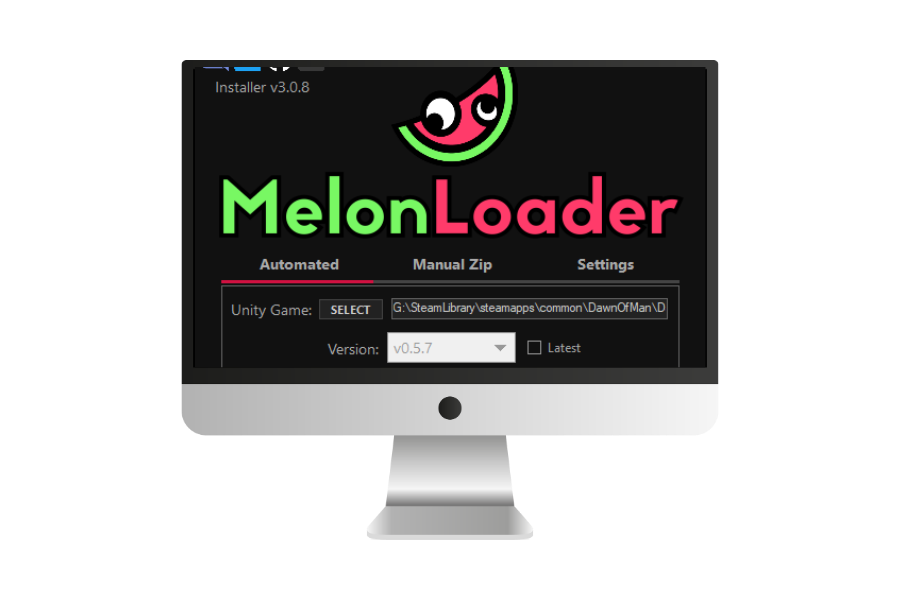
Installation takes minutes, not hours. Our automated installer scans your game directory, configures everything automatically, and prepares your setup for immediate use. Drop your mods into the designated folders, launch your game, and watch them load seamlessly. No registry edits, no complex configuration files, no technical expertise required.
Most mod loaders lock you into specific game engines or require different tools for different titles. MelonLoader breaks that pattern with universal compatibility. One installation works across your entire Unity game library, whether those games use modern Il2Cpp compilation or traditional Mono runtimes.
For Il2Cpp games specifically, MelonLoader includes sophisticated assembly generation technology. The first launch takes a couple of minutes while it analyzes and generates necessary files. After that, everything runs at full speed. Game updates trigger automatic regeneration when needed, keeping your mods working through patches.
Users get simplicity. Developers get power. MelonLoader's architecture separates concerns intelligently—plugins provide frameworks and utilities, while mods implement actual gameplay changes. This separation means you can mix and match mods without worrying about conflicts or duplicated code.
The debugging capabilities shine during development. Comprehensive logging captures every action, error, and warning. Log files use clear formatting that actually helps you solve problems instead of drowning you in technical jargon. Attach standard debuggers when you need to step through code. Test changes without restarting your game in many scenarios, dramatically speeding up iteration.
Windows users get a polished experience with automated dependency installation. Linux users get equal treatment—full feature parity whether you're running through Wine, Steam's Proton compatibility layer, or native Linux builds. Mods developed on one platform run identically on others, expanding your audience if you're creating content.
The configuration system adapts to your needs. Tweak console behavior, adjust logging verbosity, enable experimental features, or leave everything at defaults. It works either way. When problems arise, detailed logs pinpoint exactly what went wrong and why, making support requests productive instead of frustrating.
Thousands of active users form a knowledgeable community ready to help newcomers and veterans alike. The Discord server buzzes with activity—installation questions get answered within minutes, modding advice flows freely, and experienced developers share techniques and best practices.
Open source development means transparency and improvement. Review the code yourself if you're curious how something works. Submit bug fixes or feature additions. The project welcomes contributions and has incorporated countless community improvements over its lifespan.
For creators, extensive documentation covers everything from basic setup to advanced techniques. Example projects provide working templates you can build from. The framework handles low-level game integration automatically, letting you write actual modification logic instead of wrestling with engine internals.
MelonLoader solves real modding problems. It's reliable, well-supported, and gets out of your way so you can focus on customizing your games exactly how you want them.
Everything you need for professional-grade game modding, packaged in a tool that respects both beginners and experts.
Single installation handles any Unity game using Il2Cpp or Mono. Stop juggling different tools for different games.
Intelligent installer detects your environment and configures everything correctly. Manual installation available for advanced users.
Native support for both platforms. Wine and Proton compatibility layers work flawlessly with identical functionality.
Extend core functionality with plugins. Build your own or leverage community creations for enhanced capabilities.
Detailed diagnostic output helps troubleshoot issues quickly. Configure verbosity levels to match your needs.
Il2Cpp assembly regeneration happens automatically when games update. Your mods stay functional through patches.
Debug mode, hot-reloading capabilities, and debugger support accelerate mod development significantly.
Thousands of users and developers collaborate on Discord. Fast support, shared knowledge, and continuous improvement.
Open source under Apache 2.0 license. No costs, no restrictions, full source code access for transparency.